![Evovia_Logo_RGB.svg]](https://www.evovia.com/hubfs/Evovia_Logo_RGB.svg)
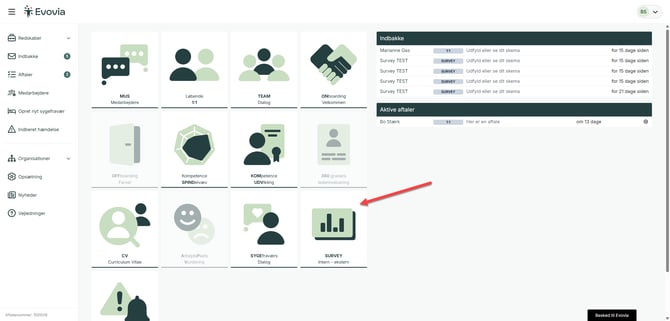
1. Open survey
Go to Survey on the front page (red arrow).
2. Select your survey
Click on the survey you want to make a report for (red arrow).

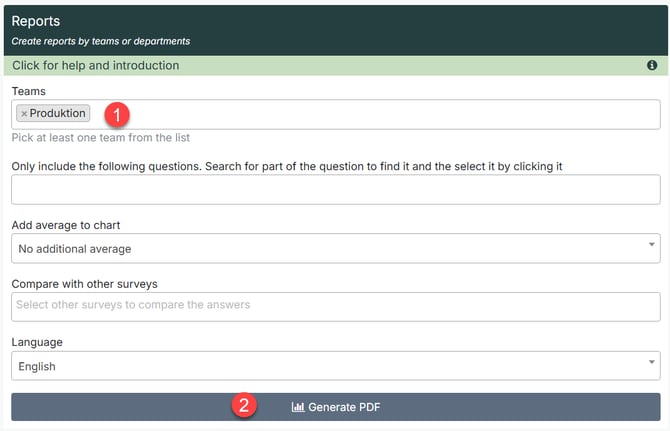
3. Make a report
- Select a team for your report.
-
Click on ''Generate.
4: Download or edit the report
When the report is ready, it will available under My reports.
You have the following options.
-
Download the report (red arrow)
-
Edit the report (green arow). See and add comments to the report.
-
Make a new report (purple arrow)
-
Delete the report (yellow arrow).

5. Adjust the report
It's possible to add comments or other information to the report.
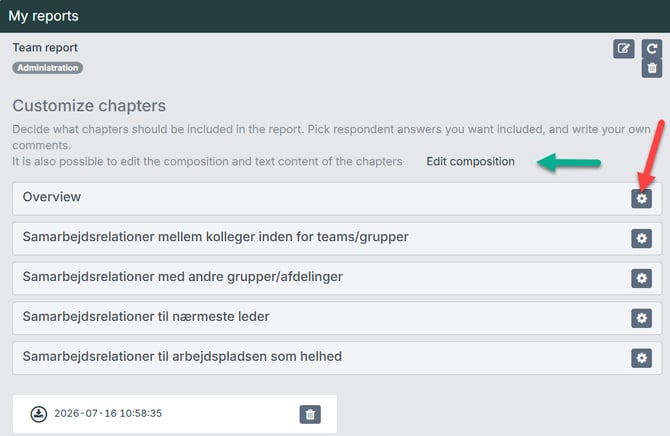
Choose the comments to be added to the report by clicking on the gear icon (red arrow).
For further editing of the report click on Edit composition (green arrow).
6: Content of the report
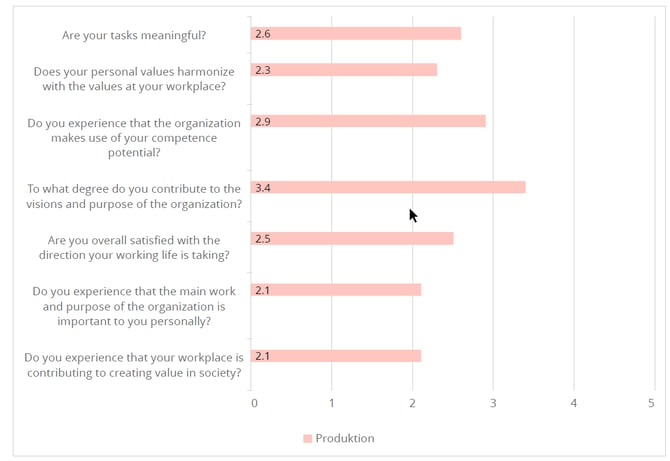
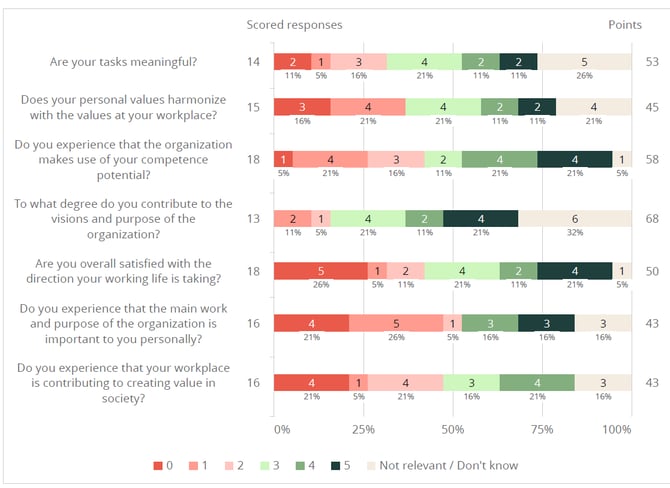
Rapporten viser teamets gennemsnitlige besvarelse pr. spørgsmål og fordeling af svar. The report illustrates the average response of the team.